
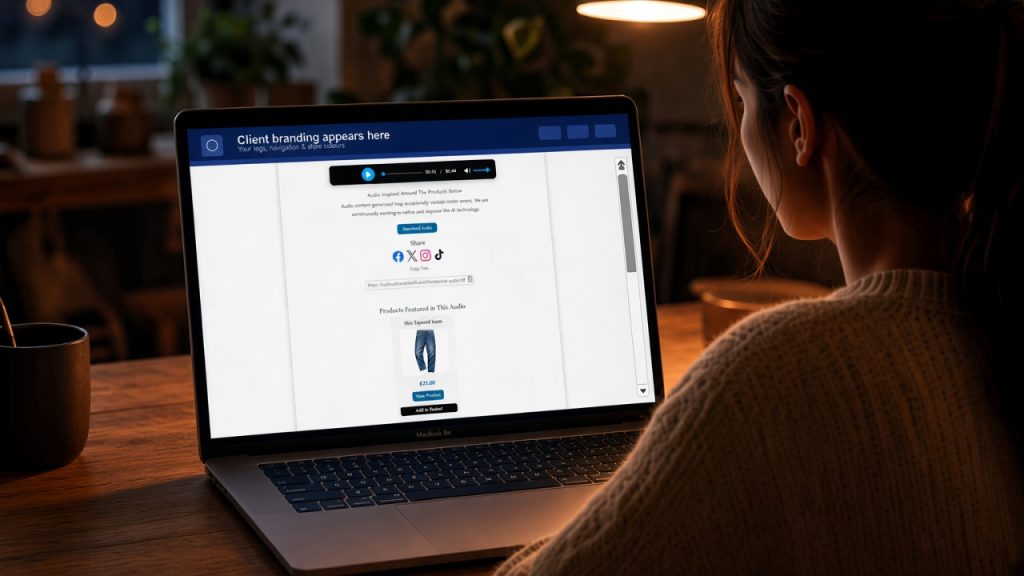
V1.0 Branded Web Player (Top View)
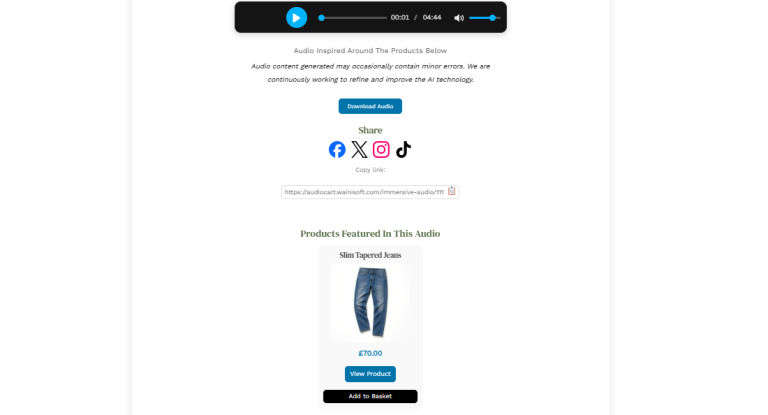
V1.0 Branded Web Player (Bottom View)
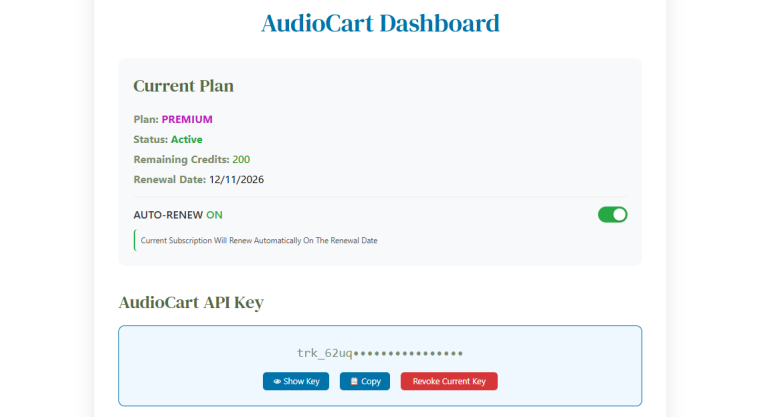
V1.0 Dashboard (Top View)
V1.0 Dashboard (Bottom View)
V1.0 Billing (Top View)
V1.0 Billing (Bottom View)
V1.0 Receipt View
V1.0 Invoice View
…
PHASE 01Completed Foundations — proprietary audio pipeline and first generation tests
What we are building
- Core proprietary pipeline: turn structured product and order data into a spoken script, then into finished audio—before any WooCommerce plugin existed.
- Early generation experiments: voice character, pacing, length, and how multiple items in one order are narrated clearly.
- Repeatable test harness so we could run the same scenarios again, compare outputs, and improve quality—not one-off demos.
- Inputs designed for later e-commerce use: product names, descriptions, categories, and brand context (structured fields, not guesswork from messy titles).
- Processing kept off the store website from day one so experiments never slowed a merchant’s shop.
How we tested
- Sample catalog and order fixtures; listen-back reviews for clarity, tone, and factual wording.
- Edge cases: missing fields, awkward titles, single-item vs multi-item orders.
- Defined a baseline quality bar—“good enough to integrate”—before starting the WooCommerce plugin (Phase 2).
PHASE 02Completed Build a custom WooCommerce plugin
What we are building
- A dedicated plugin that runs when payment completes and starts audio generation automatically—no manual step for the merchant after checkout.
- Product details sent for narration include names, descriptions, categories and brand information detected from the product listing (without guessing from messy titles).
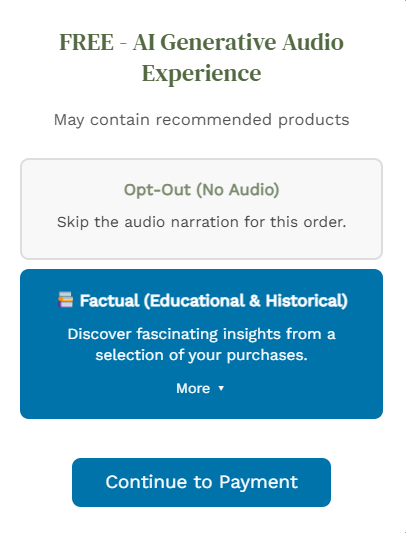
- Checkout option so customers can opt out of audio when they do not want a narration for that order.
- Protection against duplicate jobs if the shop sends the same “paid” signal twice.
- Short cooldown between manual re-runs so the system is not overloaded.
- Admin settings for site-wide options (including connection to the member account system).
How we tested
- Plugin on a staging WooCommerce store; order status and admin visibility after payment.
- Multiple test orders in a row; verified only one audio job per order.
- Simulated “paid twice” cases; verified locks prevent double generation.
- Verified that orders with opt-out selected do not trigger generation.
PHASE 03Completed Build a branded audio player page
What we are building
- A dedicated branded audio player page per order—private link, mobile-friendly, using the merchant’s visual identity.
- Email delivered when audio is ready: clear link to the player and recommended products (also referenced in the narration) with links back to the store.
- Website admin can see on the WooCommerce orders page whether audio was sent, whether the email went out, and open the player link.
- Options to send the email again or regenerate the full audio from the order screen (for support).
How we tested
- End-to-end: buy → receive email → open player → play audio.
- Recommended product links in the email open the correct store pages; wording matches what shoppers hear in the audio.
- Resend and regenerate from admin on test orders.
- Checked the player on mobile and desktop browsers; deliverability to real inboxes on test orders.
PHASE 04Completed Testing AI audio for accuracy in relation to purchased products
What we are testing
- Pipeline that writes the script from real order data, then converts it to high-quality spoken audio.
- “Factual” mode emphasises what was actually purchased—correct product facts, not generic marketing copy.
- Scripts cleaned for speech (pronunciation, formatting, units); recommended products in the script align with what appears in the customer email (Phase 3).
- Heavy processing runs offsite, creating no impact on the e-commerce site.
- Secure handoff so only the client’s site can request generation for a valid account.
How we tested
- Orders with multiple products and different brands/categories; long vs short narrations.
- Listened for factual accuracy, pacing, and consistency between audio and email recommendations.
- Opt-out and zero-credit orders do not produce customer-facing audio by mistake.
- Failure tests: invalid account, expired membership — the customer sees a clear status, not a silent failure.
PHASE 05Completed Building client accounts, plans and credits
What we are building
- Member registration with email confirmation before first login.
- Login and a protected dashboard (not visible to guests).
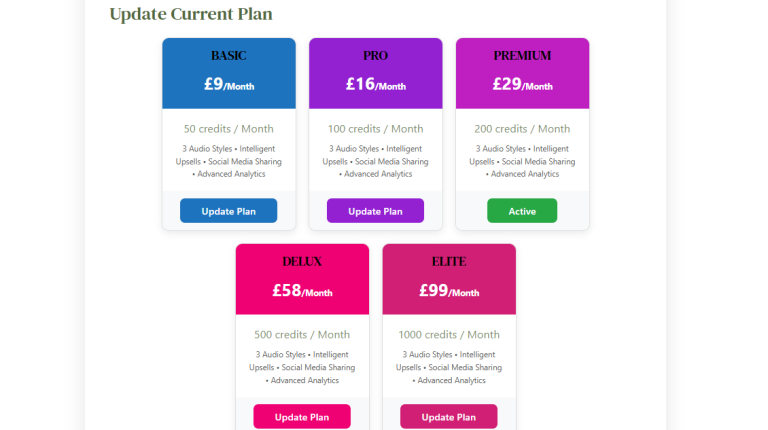
- Subscription tiers (from entry level through top tier), each with a monthly credit allowance (credits gate how many order audio generations can run).
- Central account records: plan name, status, renewal date, credits remaining.
- API-style keys for authenticated generation, with the ability to revoke and issue new keys from the dashboard.
How we tested
- New user signup → confirm email → login → dashboard shows plan and credits.
- Generation blocked when credits are exhausted or membership has expired.
- Key revoke/generate flows; guest users cannot access the dashboard.
PHASE 06Completed Building the secure middle layer (billing and generation gateway)
What we are building
- A secure middle layer between the WooCommerce site, member accounts, and audio generation—one trusted bridge instead of scattered integrations.
- Checks membership and credits before queueing audio generations.
- Handles subscription checkout and plan changes.
- Receives payment notifications and updates accounts automatically.
- Serves invoice and receipt views for billing history.
- Expiry rules aligned to dates for renewal messaging.
How we tested
- Dashboard actions (loads plan, loads credits) with logged-in users.
- Generation requests rejected when credits are zero or membership expired (before work is queued).
- Payment notification replay tests in testing mode.
- Receipt and invoice pages open correctly when logged in.
PHASE 07Completed Build a full billing centre (plans, renewals, history)
What we are building
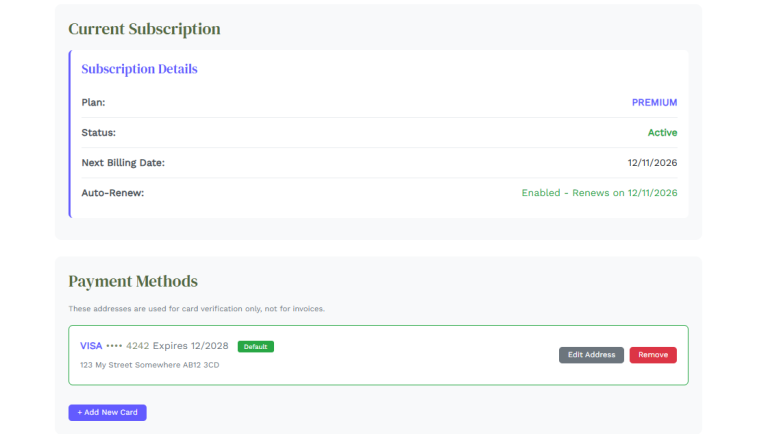
- Billing page: current plan, renewal/cancel messaging, auto-renew on/off.
- Add, remove and set a default card via Stripe secure card entry (card details never stored on our servers).
- Billing address and invoice address updates.
- Transaction list with links to printable receipt and invoice pages.
- Dashboard: pick a plan, pay via secure checkout, return to the dashboard after success.
- Upgrade flow for members already on a plan (authorisation step in the interface).
How we tested
- Stripe test mode: test cards for add-card, checkout, upgrade, and renew paths.
- Return to dashboard after successful checkout; printable receipt and invoice links from transaction history.
- Auto-renew toggle reflects on next billing behaviour in test mode.
- Cancel/downgrade messaging shows correct renewal and access expectations.
PHASE 08Completed Build client admin operations and support tools
What we are building
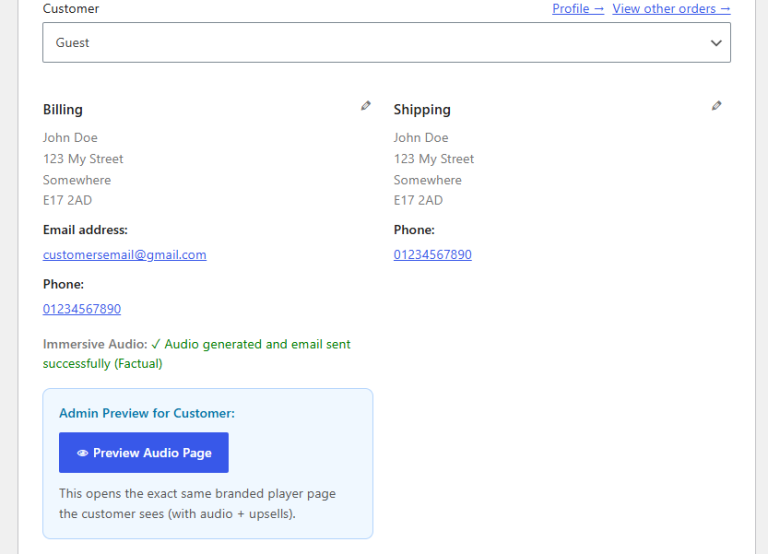
- Order screen status at a glance: generation state, player link, email sent/failed, last error (e.g. not enough credits).
- One-click resend email or full regenerate for support.
- Admin tools to link the client’s customers to their orders and account record when needed.
- Cleaner emails sent to the client’s customers (footer branding adjusted).
How we tested
- Resend email on a completed order; customer receives updated player link.
- Full regenerate after product or copy changes; old and new links handled predictably.
- API-key auth failures and insufficient credits surface clearly on the order screen.
- Support notes and order metadata on realistic test scenarios.
PHASE 09Completed Formal QA pass and ongoing quality discipline
What we are testing (formal pass completed; discipline continues)
- Merchant journey: register → confirm email → subscribe → connect store → paid order → audio and email to customer.
- Shopper journey: checkout → confirmation → email with player link and recommended products → playback and store links.
- Billing: Stripe checkout, plan change, credits, invoices/receipts, auto-renew behaviour in test mode.
- Edge cases: duplicate payments, expired membership, no credits, opt-out orders, wrong login state.
- Audio quality: factual orders across varied product types; script vs email recommendation alignment.
How we tested
- Regression pass across dashboard, billing, plugin, player, and emails before wider use.
- Browser matrix on desktop and mobile (dashboard, billing, player, Stripe card forms).
- Issues logged, prioritised, and fixed; sign-off criteria met for internal and hosted test store use.
PHASE 10Completed Hosted test store — HTTPS, real URLs, and end-to-end checkout
What we are testing
- A dedicated WooCommerce test store on production-like hosting—the same pattern merchants use in the wild.
- Secure HTTPS for login, dashboard, billing, player pages, and webhooks.
- Plugin ↔ member account ↔ generation gateway connection verified on a live URL (not localhost-only).
- Return URLs after Stripe payment point back to the client’s dashboard on the correct domain.
- Background jobs (generation, email) behaving correctly in a hosted environment.
How we tested
- Store owner path: login, dashboard, billing, API key, plugin-triggered order audio.
- Shopper path: test checkout, confirmation page, email, player, recommended product links.
- Stripe test checkout and return from payment; smoke tests after deploy-style updates.
PHASE 11Completed Updating billing and deploy reliability
What we are updating
- Secondary card on billing (Stripe)—backup payment method to reduce failed renewals.
- Deploy pipeline tied to version-controlled code so fixes and features reliably reach the live backend.
- Clearer plan-change rules: clients cannot keep using an old cancelled subscription; renew via checkout instead.
How we tested
- Add and manage a second card in Stripe test mode; default card behaviour unchanged.
- Plan change and cancel edge cases; account state matches what the dashboard shows.
- Deploy to staging then production with smoke tests on billing and generation.
PHASE 12In progress Website and UI overhaul — modern, professional experience ahead of public beta
What we are updating
- Replace the basic, test-era look and feel across the client-facing website with a modern, polished design suitable for public beta and live launch.
- Dashboard: clearer layout, navigation, and visual hierarchy so store owners can see plan status, credits, keys, and next steps at a glance.
- Billing portal: production-grade presentation for plans, cards, invoices, receipts, and account settings—consistent branding and trustworthy checkout-style flows.
- Marketing and account pages (signup, login, onboarding, help-style content): aligned typography, spacing, and components so the whole site feels like one product—not a patchwork of early prototypes.
- Responsive behaviour on mobile and desktop, accessible contrast and focus states, and UI patterns that match what merchants expect from professional SaaS tools.
- Prepare all of the above so Phase 13 public beta feedback is about refinement (features, edge cases, copy)—not “the product still looks like an internal test build.”
Success looks like
- Dashboard and billing read as slick and professional on first visit—no obvious “placeholder” or dev-only styling left in customer paths.
- Visual and interaction design is consistent from landing through login, dashboard, billing, and return-from-payment screens.
- Core tasks remain fast: check credits, manage subscription, update payment method, find invoices—without hunting through cluttered screens.
- Site passes internal review on major browsers and common phone sizes before we open public beta (Phase 13).
PHASE 13Planned Public beta testing — shoppers and e-commerce store owners
What we are planning
- Open a public beta so real people can use the product before live launch—not only our internal QA environment.
- E-commerce store owners: invite WooCommerce and online merchants to connect accounts, run test orders, and give feedback on the dashboard, billing, plugin, and support workflows.
- Shoppers (end customers): try checkout on a basic public test store using test cards only—no real payment and no goods dispatched. They receive a test order confirmation page and an email to their real email address with the audio player link. That email also includes recommended products (called out in the narration and linked back to the test store)—we test that this cross-sell experience is clear, accurate, and easy to use. Feedback covers checkout, email, player, audio quality, and those product recommendations.
- Collect feedback on UI improvements, missing features, and bugs; prioritise fixes and small enhancements that block everyday use.
- Publish clear beta expectations: how to report issues, what may change, and how often we ship updates during the beta window.
Success looks like
- Store owners complete signup → subscription → connected store → successful audio on a real-style order.
- Shoppers finish a test checkout, see the confirmation page, receive the email at their real inbox (player link plus recommended products that match the audio), can play the narration, and follow product links back to the test store—without real payment or shipped goods.
- Feedback is grouped into themes (UI, plugin, billing, audio) with a fix-or-defer list ahead of live launch.
- No critical blockers remain for moving to official live launch (Phase 14).
PHASE 14Planned Official live launch and marketing to e-commerce store owners
What we are planning
- Live launch: move the application to full production—public signup, supported billing, and a stable path for plugin updates and generation at scale.
- Final launch checklist: monitoring and alerts, support playbooks, documentation, and onboarding so new store owners can go live without hand-holding.
- Marketing campaign focused on e-commerce store owners—WooCommerce merchants and similar—highlighting post-purchase audio, branding, and automation after checkout.
- Launch assets aligned with what beta proved: case studies, setup guides, pricing/plan pages, and clear value for both merchants and their customers.
- Post-launch focus on activation (first successful order audio), retention, and measured iteration in the first weeks after go-live.
Success looks like
- Production environment stable with defined support for billing, generation, and delivery issues.
- Growth funnel measurable: awareness → signup → connected store → first paid generation.
- Campaign messaging matches shipped product—no over-promise versus beta capabilities.